Quick Summary: For programmers using standing desks, the right insoles are crucial. They offer vital arch support, shock absorption, and cushioning to combat fatigue and pain. Investing in good insoles can transform your workday, boosting comfort and productivity by reducing strain on your feet, legs, and back.
Insoles For Programmers Standing Desk: Essential Comfort

Spending hours at a standing desk can be a fantastic way to improve your health and energy. But if your feet start to ache, that comfort quickly disappears. Many programmers, designers, and developers find themselves tapping away at their keyboards while their feet protest. Thankfully, there’s a simple solution that can make a huge difference: the right insoles! We’re here to guide you through choosing and using insoles to keep your feet happy and your focus sharp, even when standing for long periods.
This guide will break down exactly what to look for in insoles, how they help, and simple steps to find your perfect pair. Let’s get those feet feeling great!
Why Standing Desks Need Great Insoles

Standing desks are a revolution in the modern workspace. They offer benefits like reduced back pain and increased calorie burn. However, standing for extended periods puts constant pressure on your feet, ankles, knees, and hips. Without proper support, this can lead to:
- Foot fatigue and soreness
- Arch pain and plantar fasciitis
- Heel spurs
- Knee and hip discomfort
- Lower back pain
Insoles act as a critical buffer. They are designed to add cushioning, support your natural foot shape, and absorb the shock that comes with standing on hard surfaces. Think of them as upgrading your shoes from basic to supreme comfort, especially when your feet are your primary anchors at work.
Understanding Insole Basics: What Makes Them Work?
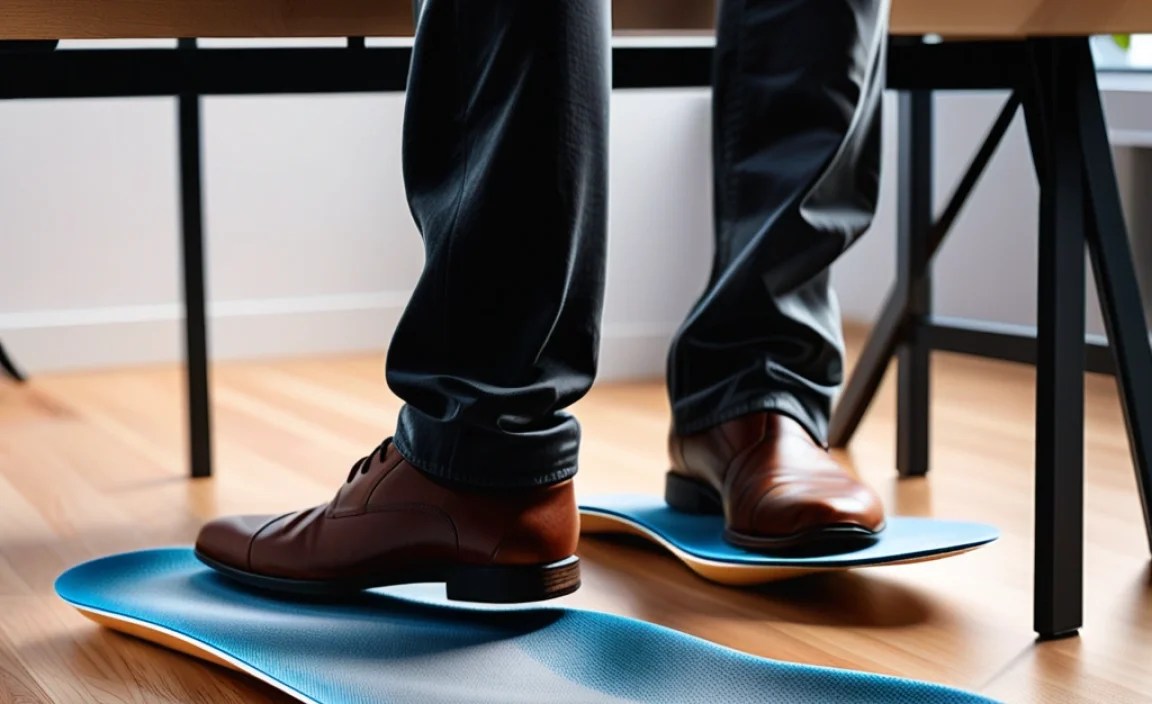
Not all insoles are created equal. The best ones for standing desks have a few key features:
1. Arch Support
Your arch is the natural shock absorber of your foot. Over time, especially with prolonged standing, your arch can flatten or become strained. Insoles with good arch support help maintain the natural structure of your foot. This prevents excessive pronation (when your foot rolls inward) or supination (when it rolls outward), leading to better alignment and reduced pain.
2. Cushioning and Shock Absorption
This is where insoles really shine for standing. Materials like EVA foam, gel, or memory foam help to absorb the impact of your body weight with every tiny shift and step. This reduces the stress on your joints and muscles, making prolonged standing much more bearable.
3. Heel Cup
A deep heel cup helps to cradle your heel, providing stability and cushioning. This is crucial for reducing stress on the heel bone and preventing conditions like heel pain or plantar fasciitis.
4. Material
Different materials offer different benefits.
- EVA (Ethylene-vinyl acetate): Lightweight, flexible, and provides good cushioning.
- Memory Foam: Molds to your foot for personalized comfort and support, but can sometimes be too warm.
- Gel: Excellent shock absorption, often used in athletic insoles, can be very durable.
- Cork: Natural, breathable, and molds to the foot over time; good for support.
- Felt/Wool: Offers warmth and some cushioning, often found in casual or winter insoles.
For standing desks, a combination of a firm, supportive base (like EVA) with a comfortable, shock-absorbing top layer is often ideal.
Choosing the Right Insoles: A Step-by-Step Guide
The quest for comfortable feet at your standing desk begins with selecting the right insoles. Here’s how to navigate the options:
Step 1: Assess Your Foot Type and Needs
Before you buy, consider your feet. Do you have high arches, flat feet, or neutral arches? Are you experiencing specific pain points, like heel pain or general arch soreness?
If you’re unsure, a simple “wet test” can help: Wet the soles of your feet and step onto a flat surface (like a piece of paper or concrete). The footprint you leave can indicate your arch type:
- Flat feet: You’ll see almost your entire foot, with little to no curve on the inside. You might need more support to prevent overpronation.
- High arches: You’ll see primarily your heel and the ball of your foot, with a very thin or non-existent connection in the middle. You may need more cushioning.
- Neutral arches: You’ll see a clear curve on the inside, with about half of your arch showing. You have more flexibility in your choices.
For standing desk use, most people benefit from insoles that offer moderate to firm arch support and good cushioning, regardless of their natural arch type.
Step 2: Types of Insoles to Consider
Insoles generally fall into a few categories:
- Support Insoles: Designed to provide primary arch and heel support. Often made with firmer materials like plastic or carbon fiber for structure.
- Cushioning Insoles: Prioritize soft materials like foam or gel for maximum comfort and shock absorption.
- Combination Insoles: Blend both support and cushioning, often the best choice for standing desk users.
- Specialty Insoles: For specific conditions like plantar fasciitis, diabetes, or overpronation.
For standing desk comfort, combination insoles are usually the sweet spot. Look for ones with built-in arch support and ample cushioning in the heel and forefoot.
Step 3: Material Matters
As mentioned earlier, consider the materials. For long hours of standing, a durable EVA base with a comfortable top layer (memory foam or a breathable fabric) is excellent. Gel can offer superior shock absorption but might be less breathable than foam.
Step 4: Insole Fit and Trimming
Insoles are typically designed to fit into shoes of a specific size range (e.g., men’s 8-10). Some insoles are “trim-to-fit,” meaning you’ll need to cut them down to match the shape of your shoe’s existing insole. Always use the old insole as a template and sharp scissors for a clean cut.
Pro Tip: Always try insoles inside your shoes on a surface you stand on for most of the day. A quick walk around the store isn’t the same as eight hours at your desk.
Top Insole Features for Programmers on Standing Desks
When you’re deep in code, the last thing you want is foot pain distracting you. Here are the features that matter most for your standing desk setup:
- Dynamic Arch Support: This means the insole flexes with your foot, providing support whether you’re standing still or shifting your weight.
- Targeted Cushioning: Look for extra padding in the heel and ball of the foot, as these are the areas that bear the most pressure.
- Breathability: Standing for long periods can make feet sweaty. Materials that promote airflow, like breathable mesh top layers or perforated foam, are a plus.
- Durability: You want insoles that will last. Look for robust materials that won’t compress too quickly under constant pressure.
- Heel Stability: A well-defined heel cup prevents your foot from sliding and provides a stable base.
Popular Insole Brands and What They Offer
There are many great brands available, each with a slightly different approach. Here’s a look at some popular choices suitable for standing desk users:
| Brand | Key Features for Standing Desks | Best For |
|---|---|---|
| Superfeet | Rigid support, deep heel cups, durable construction. Offers various models for different arch types. | Users needing significant structural support and longevity. |
| Powerstep | Semi-rigid arch support with cushioning, good for preventing overpronation. | Those seeking a balance of firm support and comfort, especially with mild to moderate arch issues. |
| Sof Sole | Variety of foams and gels, good shock absorption, often more flexible. | Users prioritizing cushioning and shock absorption, with less need for rigid support. |
| Dr. Scholl’s (Professional Lines) | Widely available, offer various levels of cushioning and support, often more affordable. | Beginners or those on a budget looking for accessible options. |
| Currex | Focus on biomechanics and specific activities, offering different profiles (dynamic, kinetic). | Athletes or individuals with specific gait patterns looking for performance-oriented support. |
Remember, the “best” insole is subjective and depends on your unique foot structure and comfort preferences. Trying different brands and models is key.
How Insoles Improve Your Standing Desk Experience
Integrating the right insoles into your standing desk routine can yield significant improvements:
Reduced Foot Fatigue and Pain
This is the most immediate benefit. By distributing pressure evenly and providing cushioning, insoles take the strain off your metatarsals and heels. You’ll notice a significant reduction in that tired, aching feeling at the end of the day. This aligns with advice from occupational health bodies recommending measures to reduce strain during prolonged standing.
Improved Posture and Alignment
When your feet are properly supported, your entire body’s alignment improves. Insoles help correct imbalances in your gait and posture, which can alleviate stress on your knees, hips, and lower back. Good foot health is foundational to overall musculoskeletal health.
Increased Comfort and Productivity
It’s hard to concentrate on complex code when your feet are throbbing. By eliminating foot pain, insoles help you stay focused, comfortable, and productive for longer stretches. This comfort can be a game-changer for knowledge workers spending many hours at their workstations.
Injury Prevention
Regularly standing without adequate support can contribute to overuse injuries like plantar fasciitis, shin splints, and Achilles tendonitis. Investing in good insoles is a proactive step towards preventing these painful conditions.
Tips for Using Your New Insoles
Once you’ve chosen your insoles, a few practices will help you get the most out of them:
- Break Them In: Start by wearing your new insoles for a couple of hours each day. Gradually increase the duration as your feet adjust. This is especially important for firmer, more supportive insoles.
- Ensure Proper Fit in Shoes: If your insoles are trim-to-fit, make sure you’ve cut them accurately. They should lie flat and not bunch up, and your toes shouldn’t feel cramped.
- Clean Regularly: Follow the manufacturer’s instructions for cleaning. Most can be hand-washed with mild soap and water and air-dried. This helps keep them fresh and hygienic. Check out foot health resources for more on keeping footwear clean.
- Replace When Worn Out: Insoles don’t last forever. Even durable ones will eventually lose their cushioning and support. Typically, you might need to replace them every 6-12 months, depending on usage and material. Look for signs of wear like flattened cushioning or loss of arch support.
- Consider Your Footwear: Insoles work best in supportive shoes. While they can help in fashion sneakers, they truly perform in shoes designed for comfort and support, like good walking shoes, athletic shoes, or well-constructed casual shoes.
Frequently Asked Questions (FAQ)
Q1: How thick should insoles be for a standing desk?
The thickness varies, but aim for insoles with a good balance of support and cushioning. Too thin, and you won’t get enough shock absorption. Too thick, and your shoes might feel too tight, affecting comfort and circulation. A moderate thickness, typically 0.5 to 1 inch at the heel, is often ideal.
Q2: Can insoles fix all foot pain from standing?
Insoles can significantly alleviate pain and discomfort related to pressure, fatigue, and poor support. However, they may not solve all issues, especially if severe structural problems or medical conditions are present. Persistent or severe pain should always be evaluated by a healthcare professional.
Q3: Do I need special insoles for standing desks, or can I use my athletic insoles?
Many high-quality athletic insoles are designed with excellent cushioning and support, making them suitable for standing desks. However, “support insoles” or “dual-action insoles” specifically formulated for long periods on your feet might offer more targeted benefits than generic athletic ones. It often comes down to comparing features and trying them on.
Q4: How often should I replace my insoles for standing desk use?
This depends on the material and how much you use them. Daily use for standing desk work might mean replacing them every 6 to 12 months. You’ll know it’s time when the cushioning feels compressed, less supportive, or you start feeling discomfort again.
Q5: Can insoles help with back pain from standing?
Yes, they can! Poor foot mechanics and lack of support can lead to misalignment up the kinetic chain, affecting your knees, hips, and lower back. By improving foot support and posture, insoles can indirectly reduce strain on your entire body, potentially alleviating back pain caused by prolonged standing.
Q6: What is the difference between a good insole and a cheap one?
Cheap insoles often use basic foam that compresses quickly, offering little long-term support or shock absorption. Good insoles use more durable, advanced materials like structured EVA, reputable gel compounds, or supportive composites. They are designed with biomechanical principles in mind for better alignment and lasting comfort.
Conclusion: Stand Tall, Code Comfortably
For programmers and anyone spending significant time at a standing desk, foot comfort isn’t a luxury—it’s a necessity for productivity and well-being. By understanding what makes an insole effective—supportive arches, ample cushioning, and a comfortable fit—you can make an informed choice. Don’t underestimate the power of a good pair of insoles to transform your workday from one of discomfort to one of sustained focus and ease.
Take the step towards healthier feet and a more enjoyable work experience. Your body will thank you for it, allowing you to focus on what you do best, code by code, comfortably.
